Woopicx
91
Assets

Website Icons 3D Icons

Browser windows, tabs, toggles and cards — the furniture of a web interface, rendered with depth.
3D Blue Circle Clusters with Plus Icon3D Upload and Download Icon in Isometric View3D Timer Icon Next to Webpage IllustrationStylish 3D Bookmark Icon for Web DesignStylish 3D Bookmark Icon for Web Navigation3D Ballot Box Icon with a Ballot in Isometric ViewStylish 3D Webpage Icon Design in Isometric ViewStylish 3D Overlapping Windows Icon Design3D Overlapping Windows Icon in Isometric ViewStylish 3D Icon of Overlapping Windows in Isometric ViewStylized 3D Overlapping Windows Icon with Isometric DesignStylish 3D Isometric Webpage Icon Design3D Badge Icon on Webpage for Visual Appeal3D Icon Badge for Webpage Design3D Thumbs-Up Icon with Webpage DesignStylish 3D Bookmark Icon for WebpagesStylish 3D Browser Tab Icon with Search SymbolStylish 3D Browser Tab Icon with Isometric ViewStylized 3D Browser Tab Icon in Isometric ViewStylish 3D Browser Icon with Isometric Design3D Bronze Statue Icon with Isometric View3D Bronze Statue Icon with Isometric View3D Bronze Statue Icon with Isometric ViewStylish 3D Domain Icon with Isometric DesignStylish 3D Application Icon in Isometric View3D Render of a Minimalist Slider Control InterfaceStylized Document Icon with Error SymbolStylish Blue Control Knob with Minimalist DesignStylized Code Document Icon in Minimalist Design3D Toggle Switch Icon Representing 'On' StateStylized 3D Traffic Light Icon Design3D Render of a Red Cancel Button with White CrossModern Minimalist Orange Button DesignStylized Toggle Switch Design for Modern UIStylized Red Cancel Button Icon with 3D EffectStylized Browser Window Icon with Colorful Buttons3D Cancel Icon with Rounded Edges in RedStylized 3D Button Design with Vibrant ColorsStylized Red Stop Button Icon with Minimalist DesignStylized 3D Interface Control Button Design3D Green Plus Symbol for Positive Concepts

Explore More Categories

This is the smallest category in the library and the one still growing fastest, because web interface elements are exactly what our own audience asks for most. Overlapping windows, a toggle, a stack of cards: abstract shapes that gain a surprising amount from being rendered with real depth and shadow.
Design Examples

See how these icons look in real website designs
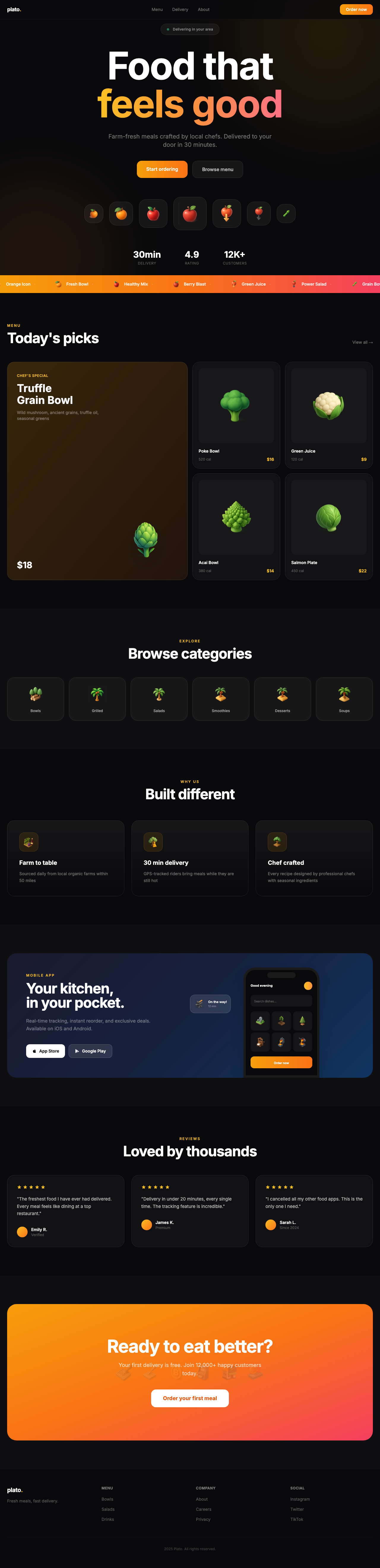
What is in the set

Browser surfaces — tabs, overlapping windows, windows with add and plus marks. Interface controls such as toggle switches. Content containers including stacked cards with plus signs. Code and document views. Plus a handful of decorative objects that ended up here and are being re-tagged.

Where these work best

Web builder and hosting products, SaaS feature sections, design system documentation, browser extension pages, and onboarding that explains an interface. Computer and design cover the surrounding subjects more deeply for now.

Frequently asked questions

Why are there fewer icons here?
It is the newest category and still being drawn. More browser and interface elements are queued.
Are there UI control icons?
Some — toggles, tabs, cards and windows. Design has more interface components alongside the art supplies.
What format?
Transparent PNG, so a window icon layers over a page mockup cleanly.